Summary
GrowBy connects companies with digital specialists. Companies post opportunities and projects, specialists apply and send quotes, and the GrowBy team (recruiters and project managers) supports every process. I led the front end from start to finish in versions 1 and 2.
The challenge
A single application had to serve six types of user: specialists, companies, recruiters, project managers, the sales team and administrators. Each with their own menu, permissions and screens, but on the same data: the opportunity a company posts is the one the specialist sees, applies to and the recruiter evaluates.
What I built
- Sign-up and sign-in with AWS Amplify and Cognito, and each role's routes protected from the Next.js middleware.
- The specialist profile in two steps, personal and professional details, with its progress indicator, CV and certificates.
- Opportunities for specialists: filters by profile, technologies and work mode, recommendations and tracking of their applications.
- Project manager requests: creation, deadlines, bulk sending to specialists and a summary of approved, pending and rejected quotes, with downloadable reports.
- Recruiter views: opportunities from every company, the specialist pool with favorites and the validation of new sign-ups.
- AI ranking of applicants: a Next.js server route queries the AI service and the view sorts candidates by how well they match the profile.
- For companies, creating, editing and tracking their opportunities; for administrators, managing internal users.
Screenshots
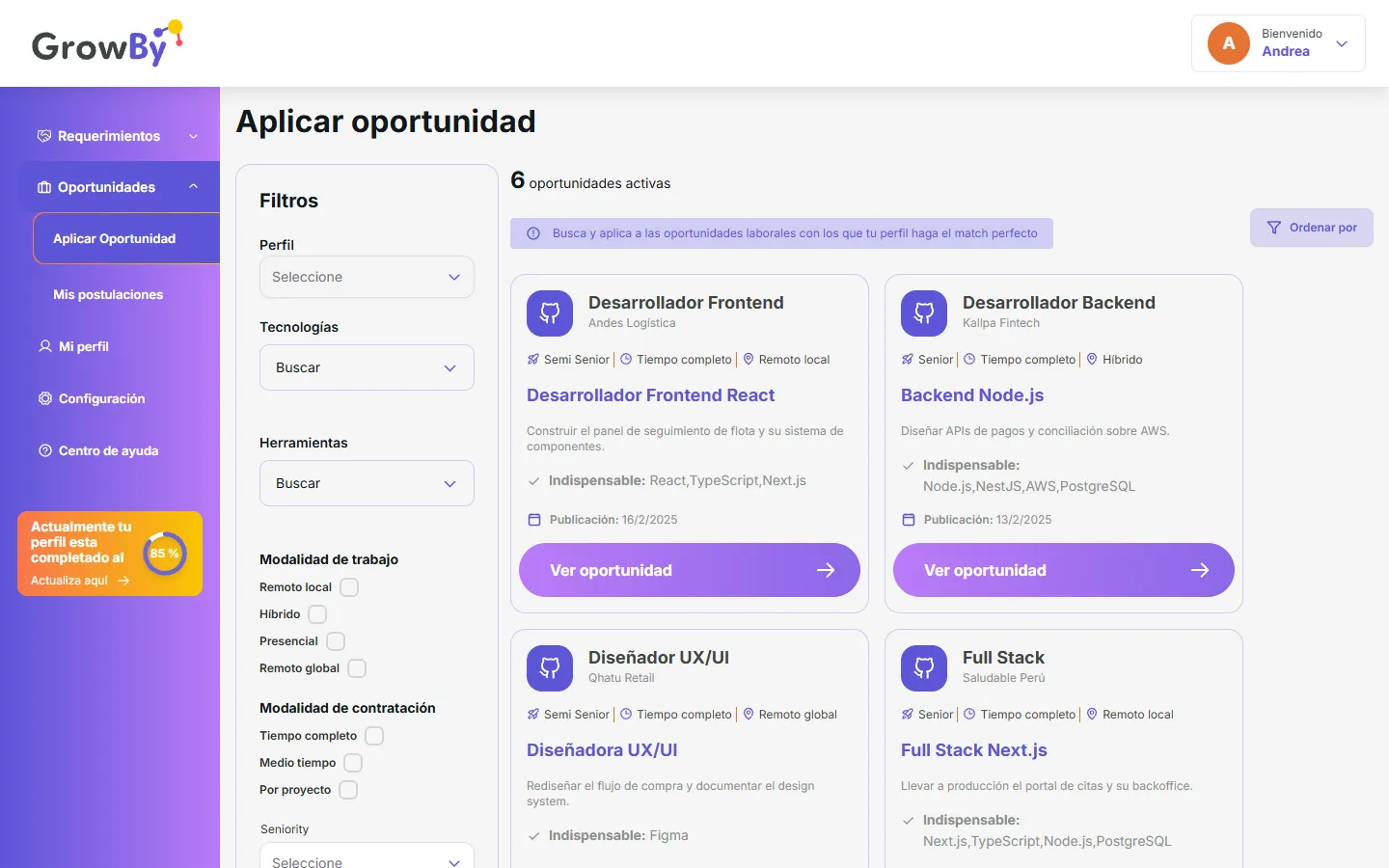
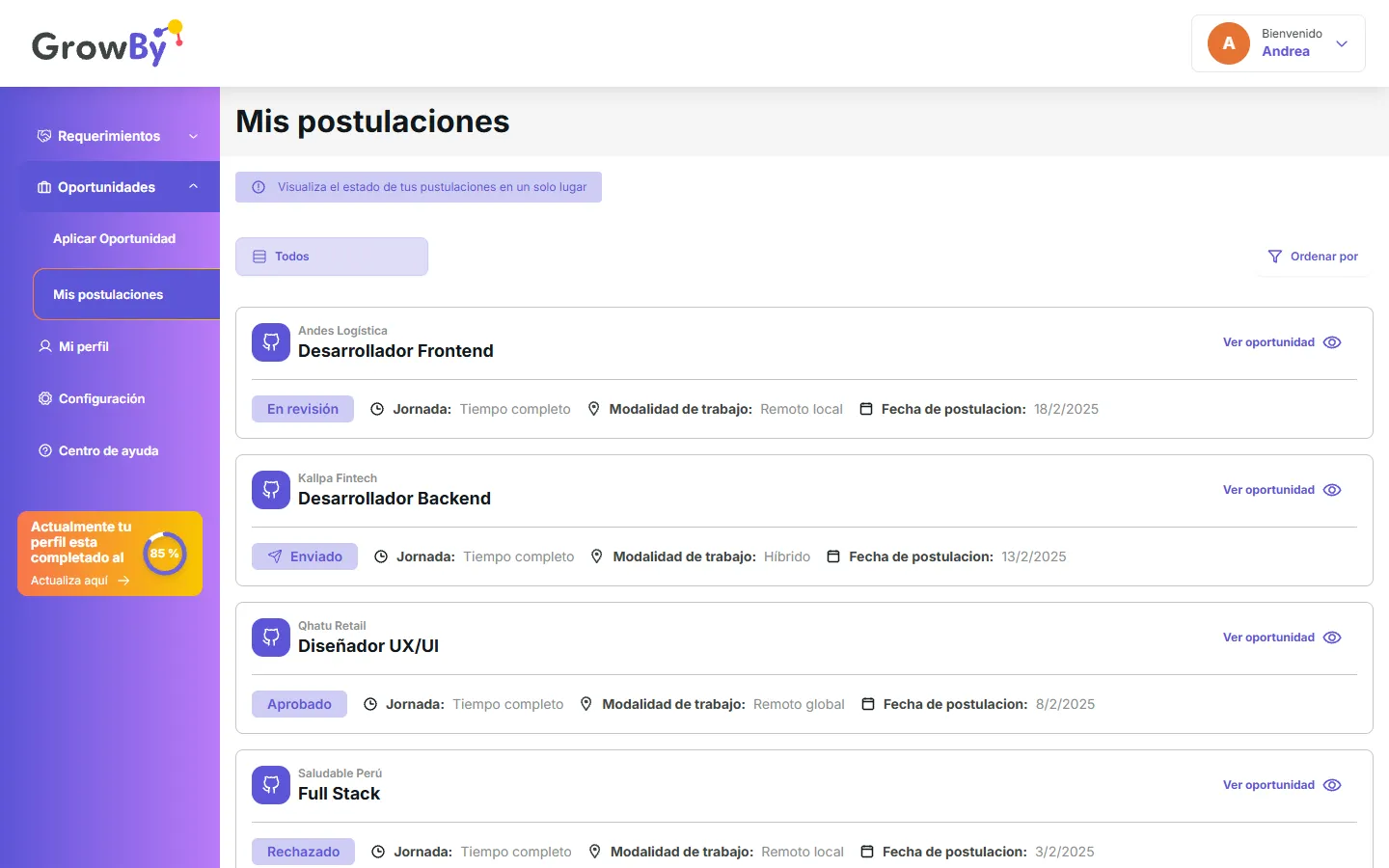
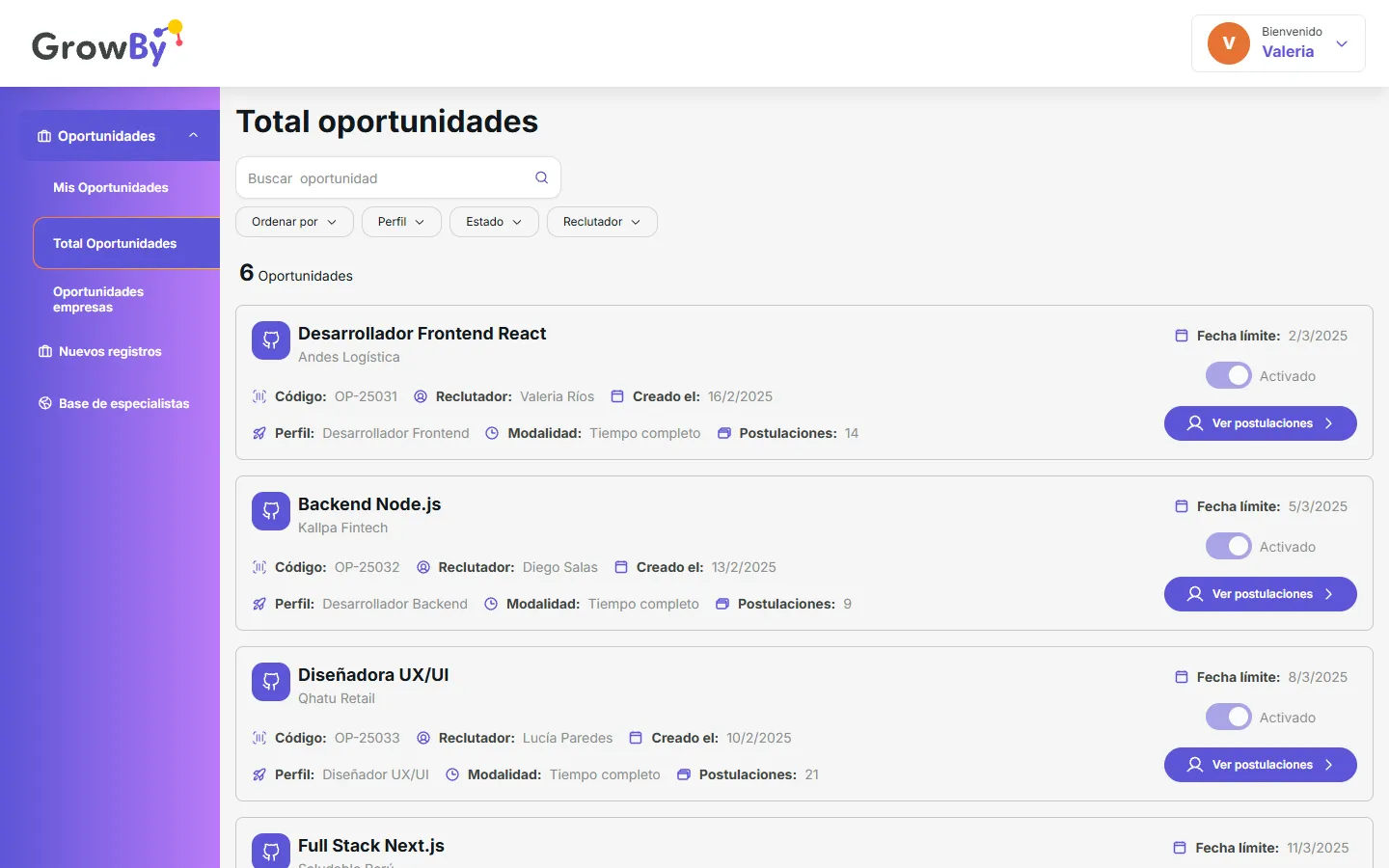
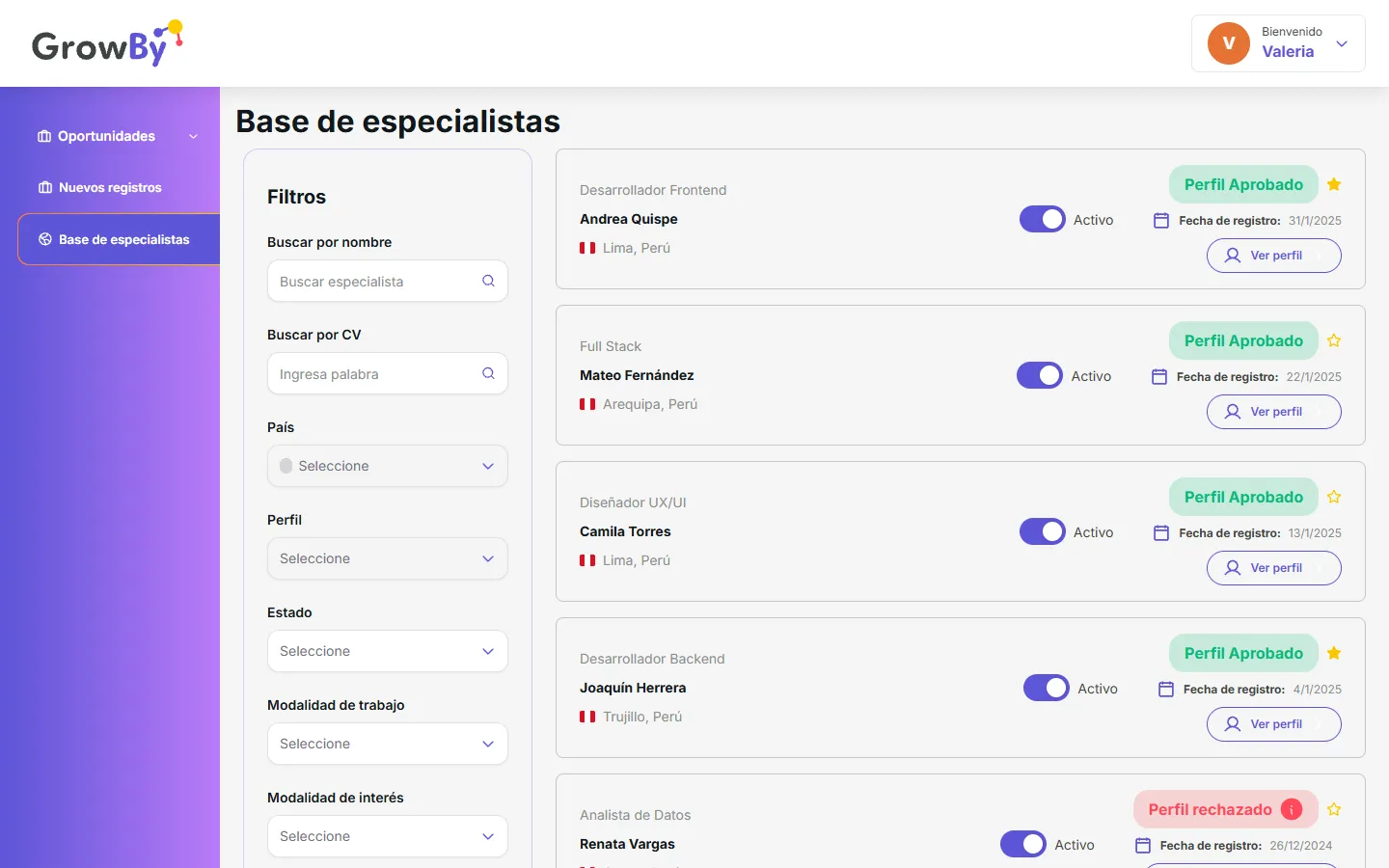
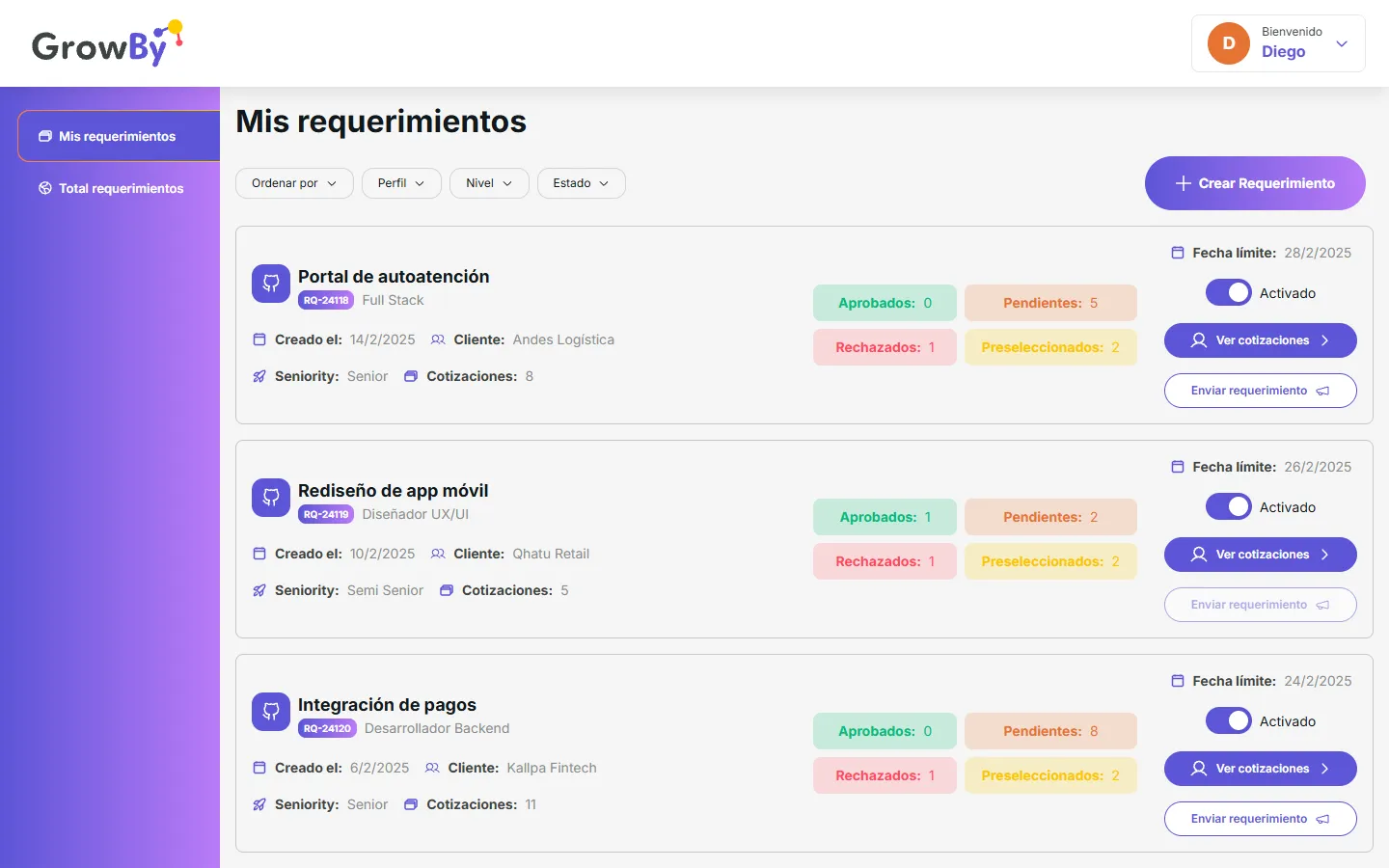
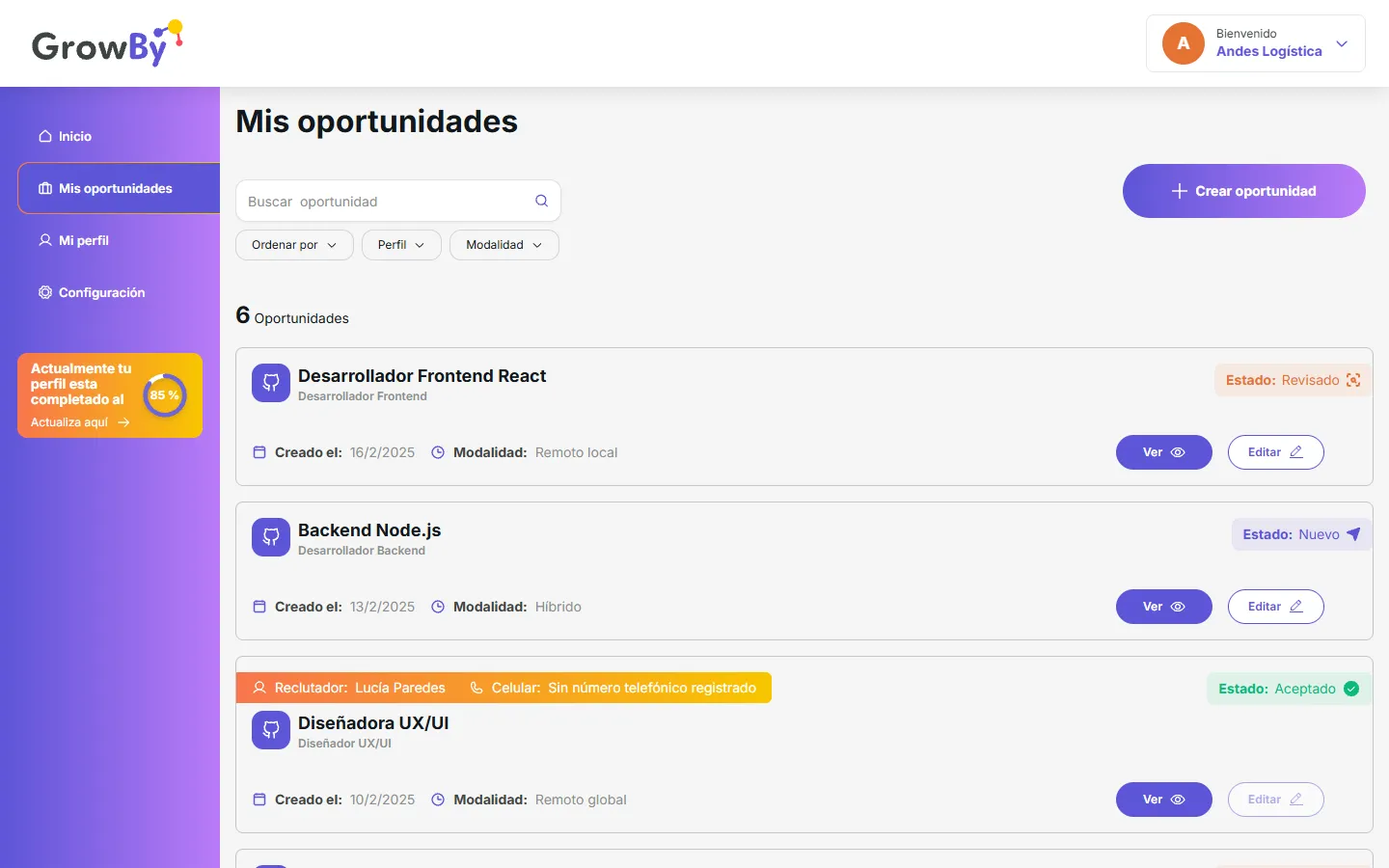
Demo data.
Lessons learned
One role, one door
Six roles in a single application: grouping routes and layouts by role let each user see only what was theirs without duplicating the platform.
Server data, where it belongs
With TanStack Query each list has its own cache: creating or editing an opportunity refreshes what it should without reloading the page.
Integrating AI means integrating waits
The AI service could be slow or fail. The view retries, says when there is nobody to evaluate yet and never leaves the recruiter facing an empty screen.
What I would do differently
The project had no automated tests: every change to a shared flow was checked by hand. Today I would start by testing the critical flows (sign-up, application and quote) before adding screens.